Showing posts with label tikz2pdf. Show all posts

Monday, August 03, 2009

Simulating KTikZ with Emacs

I stumbled upon a piece of software called KtikZ. The screenshot in that page, together with the fact that Doc-View mode is included in the new Emacs 23, inspired me to try that idea with tikz2pdf. With help from folks from gnu.emacs.help, I came up with the following function:


(defun split-for-tikz2pdf ()
(interactive)
(TeX-run-style-hooks "tikz")
(TeX-run-style-hooks "tkz-berge")
(split-window-horizontally 60)
(other-window 1)
(split-window-vertically 15)
(find-file "tikz2pdf_temp.pdf")
(doc-view-mode)
(auto-revert-mode 1)
(other-window 1)
(let ((file-path (buffer-file-name)))
(when file-path
(shell)
(comint-send-string (get-buffer-process (current-buffer))
(format "tikz2pdf -v %S \n" file-path))))
)


which gives something like this, when applied at a buffer with a .tex file:


Unfortunately, the buffer for the .pdf file is not in Doc-View mode after executing the function. One has to go to that window and do M-x doc-view-mode. After that, sometimes the picture is not generated correctly and one has to reload manually with g. Other useful Doc-View key bindings are + and -.

You might want to use my simple AucTeX style files tikz.el and tkz-berge.el.

Thursday, February 21, 2008

Using tikz2pdf

When drawing graphs by trial and error, the script tikz2pdf by Hans Meine can be very useful.

I have the following in ~/.tikz2pdf.tex:

\documentclass{article}

\usepackage{tikz}
\usepackage{tkz-berge}

\usepackage[graphics,tightpage,active]{preview}
\PreviewEnvironment{tikzpicture}
\newlength{\imagewidth}
\newlength{\imagescale}

\begin{document}

\input{%s}

\end{document}

Then, I edit a file, say foo.tikz, with

\begin{tikzpicture}
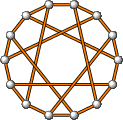
\grHeawood[RA=1]
\end{tikzpicture}

and run

tikz2pdf -v foo.tikz

I can open then the generated tikz2pdf_temp.pdf with, say Sumatra,which is a viewer that, unlike Acrobat, does not complain if an opened file is modified. Next time I modify foo.tikz and save it, pdflatex is automatically run and I can press r in Sumatra to update the picture.